TeraCryption Components for Secure File Sharing
Updated: Jan 29
In today’s digital world, sharing files quickly and efficiently is essential. Whether you are collaborating on a project, sending important documents, or exchanging multimedia files, the ease of file sharing has transformed how we work and communicate. However, with convenience comes risk. Protecting sensitive information from unauthorized access is critical. This is where file-sharing safety online becomes a priority for individuals and businesses alike.
Understanding File Sharing Safety Online
Online file sharing safety involves using methods and tools that protect your data during transfer and storage. Without proper security measures, files can be intercepted, altered, or stolen by cybercriminals. This can lead to data breaches, financial loss, and damage to reputation. Explore the TeraCryption file encryption system for secure sharing
To ensure file safety, use TeraCryption tools such as TeraKey, TeraLink, and TeraBackup, which provide encryption, access controls, and real-time file backups. TeraKey scrambles your data so only authorized users can read it. TeraLink includes access controls and a link to store encrypted files in cloud storage services or in a centralized server. TeraBack makes a real-time backup of your encrypted files for restoring operations after a cyberattack.
By prioritizing the security of encrypted online file-sharing, you reduce the risk of data leaks and maintain control over your information. Let’s explore TeraCryption's powerful components that help you achieve this.
What is Secure File Sharing?
Secure file sharing refers to exchanging files over the internet or a network with strong security measures in place. This ensures that files are protected from unauthorized access, tampering, or interception during transfer.
Unlike traditional file-sharing methods such as email attachments or public cloud storage, secure file sharing uses traditional cryptography combined with protocols like SSL/TLS. It also often includes features like password protection, user permissions, and audit logs to track encrypted file activity.
A secure file share is essential for businesses handling sensitive data such as financial records, personal information, or intellectual property. It helps comply with data protection regulations and builds trust with clients and partners.

TeraCryption - Military-Grade Encryption for Secure File Sharing.
One of the leading tools for secure file sharing is TeraCryption. It offers military-grade encryption designed to protect files both in transit and at rest. TeraCryption uses advanced cryptographic algorithms to ensure that only authorized users can access shared files, with automatic key management.
Key Features:
End-to-end encryption: Files are encrypted before leaving your device and decrypted only by the recipient.
User authentication: Multi-factor authentication adds an extra layer of security.
Access control: Set permissions to control who can decrypt, view, edit, or restore files.
Audit trails: Track encrypted file access and sharing history for compliance and monitoring.
Cross-platform support: Works on Windows, macOS, and mobile devices.
Practical Use Case:
Imagine a law firm sharing confidential case files with clients and other attorneys. Using TeraCryption, they can ensure that sensitive documents are encrypted and only accessible to authorized parties. This prevents leaks and maintains client confidentiality.
Zero-Knowledge Cloud Storage
TeraCryption is a system in which users with the TeraKey application on their computers can first encrypt files and then upload them to a cloud storage service focused on privacy and security. It uses zero-knowledge encryption, meaning the service provider cannot access your files. Only you and the people you share the encrypted files with and use TeraKey to decrypt, view, and edit them. TeraKey automatically manages the encryption keys.
TeraCryption Business Features:
Zero-knowledge encryption: Complete privacy with no access for the provider.
End-to-end encrypted sharing: Files remain encrypted while stored and in transit.
Granular permissions: Control who can encrypt, decrypt, view, edit, or share files.
Secure links: TeraKey access password-protected and MFA.
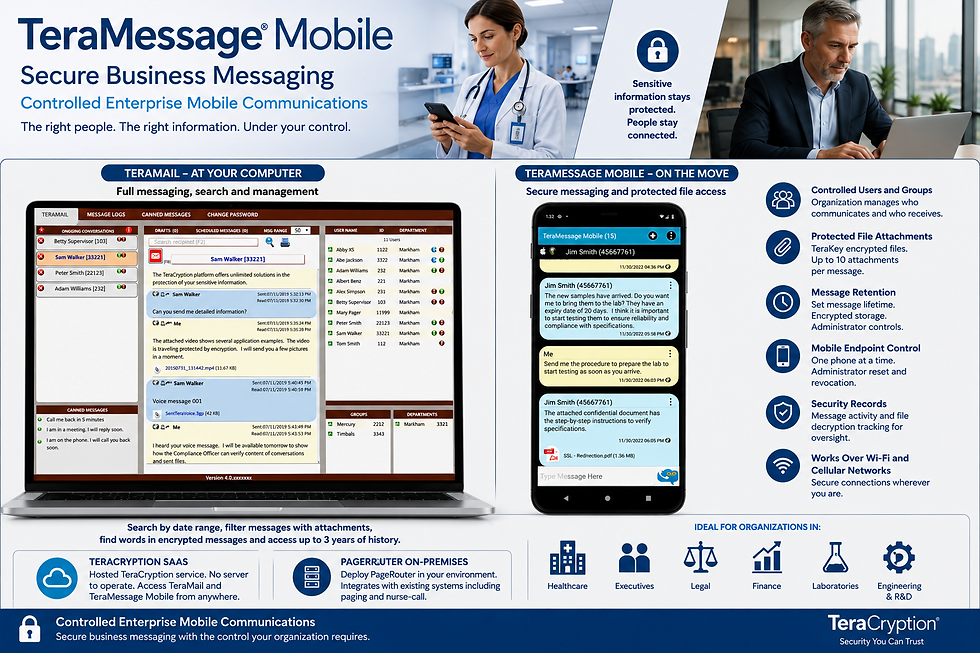
Collaboration tools: Encrypted chat and file comments using TeraMail.
Practical Use Case:
A remote marketing team can use TeraMail to share campaign materials securely. They can collaborate on encrypted files without worrying about unauthorized access or data leaks, even when using public Wi-Fi networks.
User-Friendly Encrypted File Sharing
A TeraCryption system is a simple yet powerful solution for encrypted file sharing. It combines ease of use with strong encryption, making it ideal for any-sized company.
TeraKey Encrypted Files Management Features:
File unbreakable encryption: Files are encrypted on your device before being shared.
Zero-knowledge privacy: Unauthorized users cannot access your files.
File versioning: Restore previous versions of files if needed.
Cross-device sync: Access files securely from any device with TeraKey.
Practical Use Case:
A freelance graphic designer can use TeraKey to securely send large design files to clients. Password protection and expiration dates on shared links ensure that files are only accessible for a limited time.
Best Practices for Safe TeraCryption File Sharing
Using TeraCryption's tools is just one part of maintaining encrypted file-sharing safety at rest and online. Here are some actionable recommendations to enhance your security:
Use strong passwords: Avoid common passwords and use a password manager.
Enable TeraKey's multi-factor authentication: Add an extra layer of protection.
Limit file access: Share encrypted files only with necessary recipients.
Regularly update software: Keep your TeraKey and devices up to date.
Protection on public Wi-Fi: TeraKey encrypted files cannot be opened if intercepted.
Educate users: Train team members on TeraKey file sharing practices.
By following these best practices, you can significantly reduce the risk of data breaches and ensure your files remain confidential.
Enhancing Your File Sharing Strategy
Choosing the right TeraCryption tools depends on your specific needs, such as the level of security required, ease of use, and collaboration features. For businesses handling sensitive files, investing in a robust solution like TeraCryption can provide peace of mind and compliance with data protection laws.
For smaller teams or individuals, tools like TeraKey, TeraLink, and TeraBackup offer a balance of security and usability. Remember, the goal is to protect your files without hindering productivity.
By integrating TeraCryption's secure file sharing into your workflow, you safeguard your information and build trust with clients, partners, and colleagues.
Secure file sharing is no longer optional in today’s digital environment. With the right TeraCryption components and practices, you can confidently share files while protecting your valuable data from threats. Start exploring these TeraCryption tools today to enhance your online file-sharing safety as part of an effective enterprise file encryption
framework.
About TeraCryption
TeraCryption is a leading developer and provider of secure messaging and encrypted file systems for protecting sensitive information at rest and in transit.
Schedule a 30-minute online demo at https://www.teracryption.com/demo with our team of experienced specialists. Feel free to email us at sales@teracryption.com. We're here to help you keep your message communications and files safe and secure!